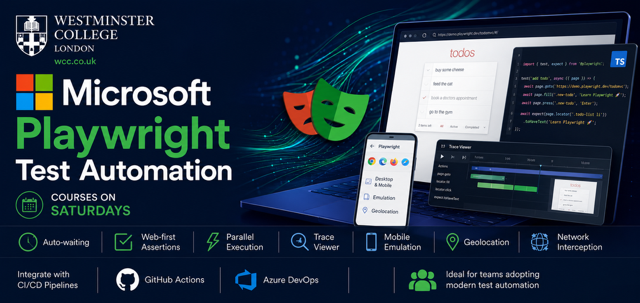
Microsoft Playwright Test Automation – Syllabus
6 Saturdays (9am to 11am) | Beginners to Advanced
Day 1: Foundations & First Tests
- What is Playwright? Architecture vs Selenium/Cypress
- Installation and project setup (VS Code, Node.js, Playwright Test)
- Running your first test – auto‑generation with Codegen
- Understanding the test runner (npx playwright test)
- Core concepts: locators (page.locator(), getByRole(), getByText())
- Auto‑waiting and actionability (no explicit sleeps)
- Assertions (toHaveText(), toBeVisible(), toHaveValue())
Day 2: Advanced Locators & Debugging
- Deep dive into locator strategies (CSS, XPath, text, role, test‑id)
- Filtering and chaining locators
- Debugging: Playwright Inspector, trace viewer, slow‑mo mode, video recording
- Using --debug and --trace flags
- Page Object Model introduction (basic structure)
Day 3: Mobile Emulation & Geolocation
- Device emulation (iPhone, Pixel) using devices preset
- Changing viewport, user agent, touch events
- Geolocation mocking (set latitude/longitude, permissions)
- Permissions: notifications, geolocation, camera
- Testing responsive design with multiple devices
Day 4: Network Mocking & File Handling
- Intercepting network requests (page.route()) – mock APIs, abort images
- Simulate slow network, offline mode
- File uploads (single, multiple, drag & drop)
- Download files and verify content
- Handling iframes and multiple pages/tabs
Day 5:Page Object Model & Fixtures (Deep Dive)
- Structuring Page Object Model (POM) – classes and reusable methods
- Playwright Fixtures (custom fixtures for pages, contexts)
- Sharing state between tests (logged‑in context)
- Test hooks (beforeEach, afterEach)
- Parallel execution and sharding
Day 6:CI/CD, Reporting & Visual Regression
- GitHub Actions configuration (run on push, scheduled)
- Storing test artifacts (trace, video, screenshots)
- HTML Reporter, JSON, JUnit reports
- Visual regression testing (screenshot comparisons with expect(page).toHaveScreenshot())
- Handling flaky tests with retries
- Final project kick‑off: build a complete test suite for a real web app (e.g., Saucedemo, WordPress demo, or a custom app)
Project: Build a complete test suite for a real web app.
Starting Date: 4th July 2026
Course Fee: £2990
Your payment is processed through Stripe’s secure encrypted payment gateway for safe and reliable transactions.